20230630-HelpPages-EditProfile-TopBanner-2880×1120 - IMD Business School 20230630-HelpPages-EditProfile-TopBanner-2880×1120 - IMD Business School 20230630-HelpPages-EditProfile-TopBanner-2880×1120 - IMD Business School
Edit your MyIMD profile ​

→ Contact details & personal info​

→ Profile picture​

→ Education & Professional experience​

Edit your MyIMD profile ​

→ Contact details & personal info​

→ Profile picture​

→ Education & Professional experience​

1.

When logged in your MyIMD account (if you don’t have one, click here to see how to create one).

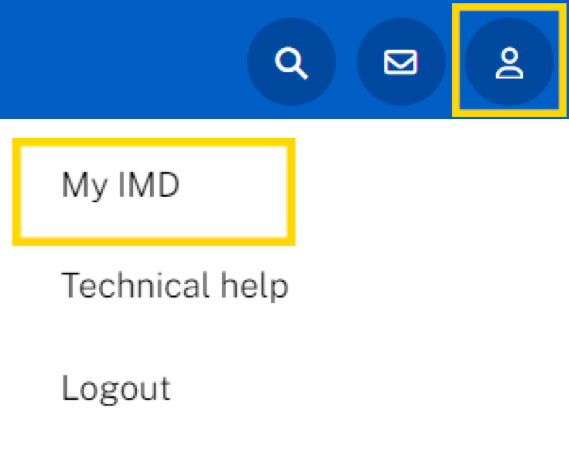
Click on your profile icon

and then on My IMD ​
cacb541d-0137-4230-ae48-66702e6e8353 - IMD Business School

2.

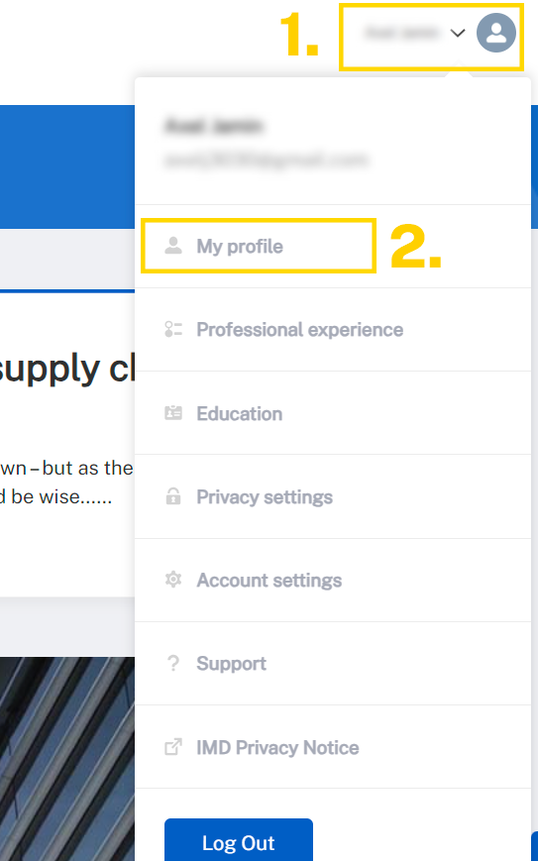
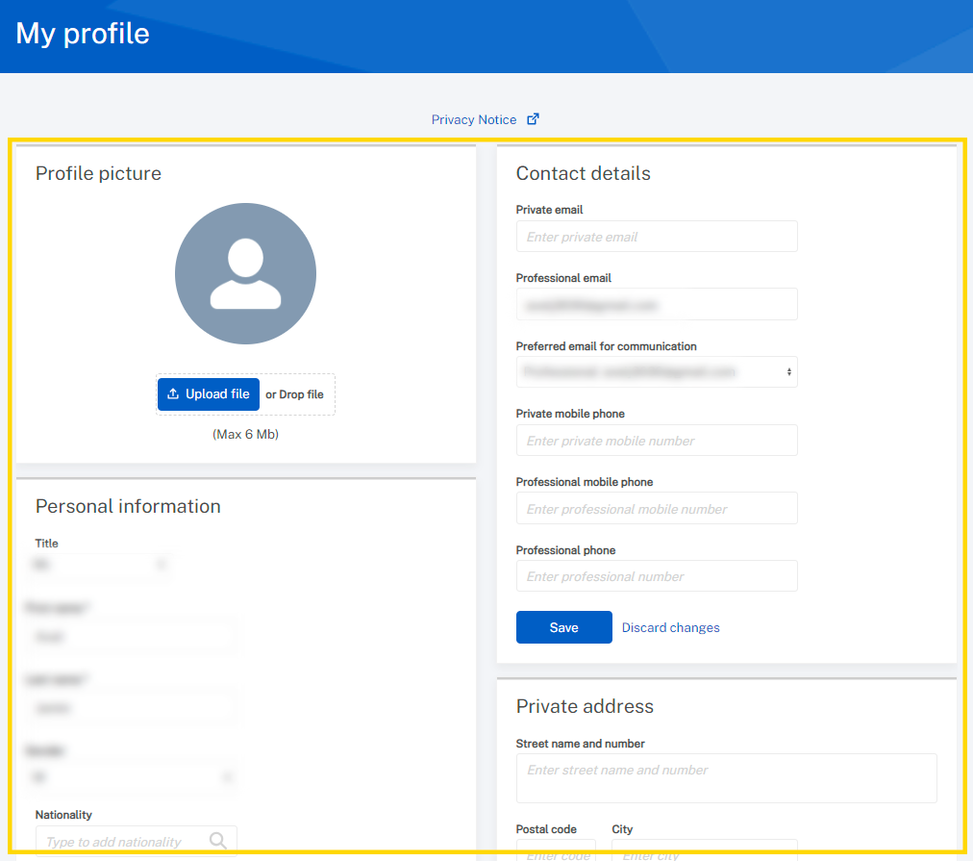
Click on your profile icon, then click on My profile to edit your contact details and personal information as well as uploading your picture.​

4ba9bae9-773d-4cf9-82f3-ab28eb3de2b6 - IMD Business School

3.

Make the necessary changes and/or upload a new picture and click Save
df6571ac-eeb3-44e6-aaac-d4aa14769efb - IMD Business School

4.

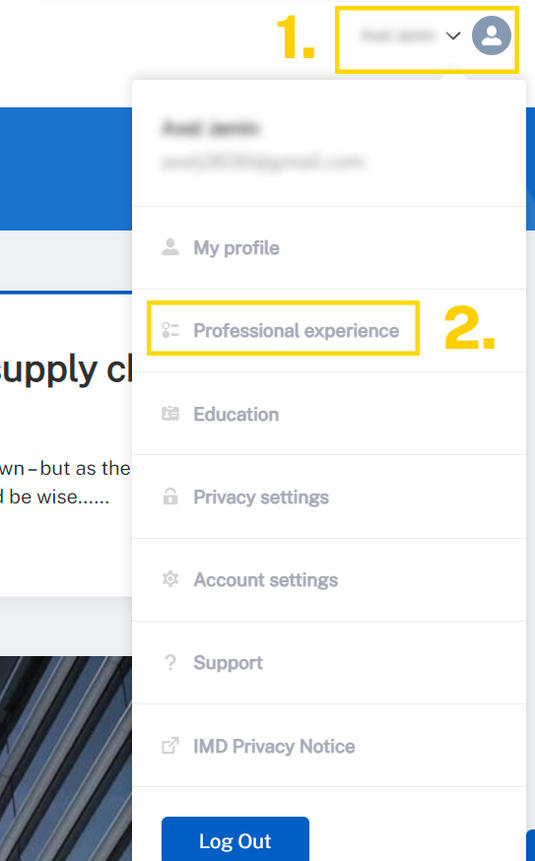
Click on your profile icon, then click on Professional experience to edit/add professional experiences.​

c909f830-4127-4d4d-9873-4a9352180944 - IMD Business School

5.

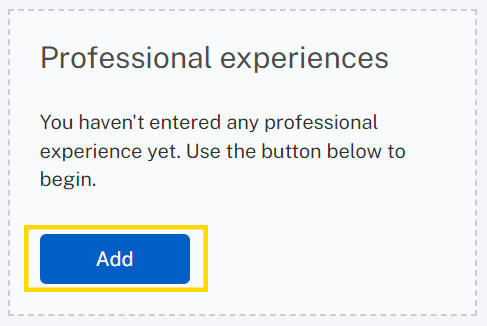
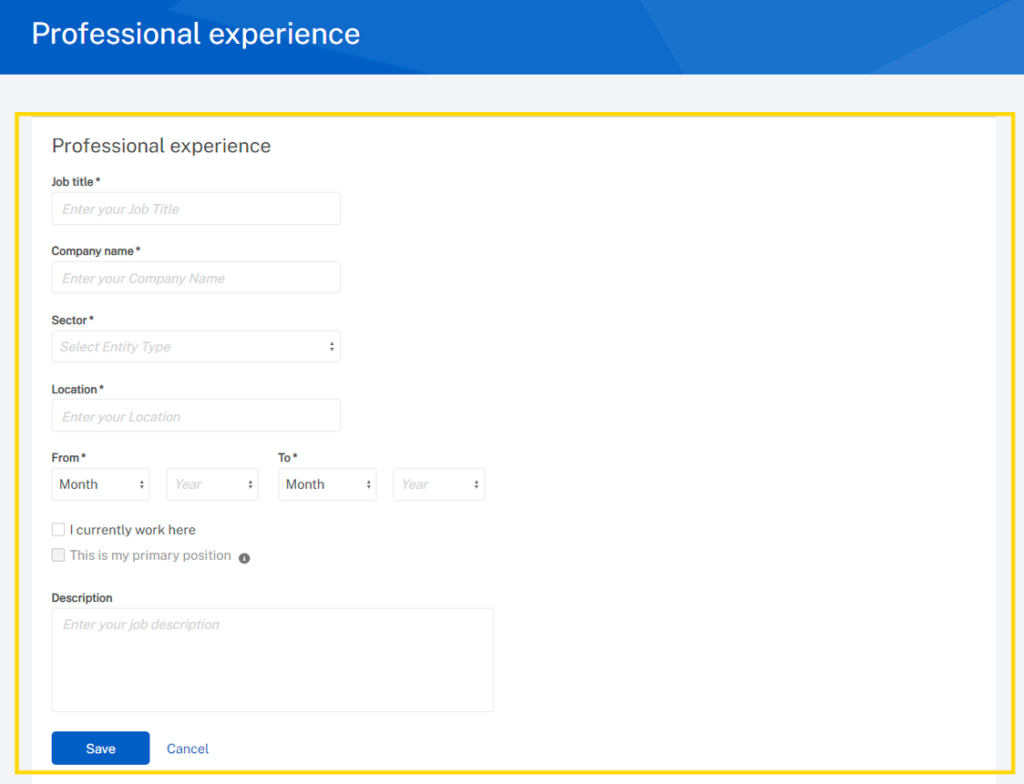
To add a new experience, click Add.

Then enter the related information and click Save.
b25be358-6671-42e9-ba0e-e4352f023339 - IMD Business School
94bdd86f-34aa-4c7c-b850-8c23c93354dd - IMD Business School

6.

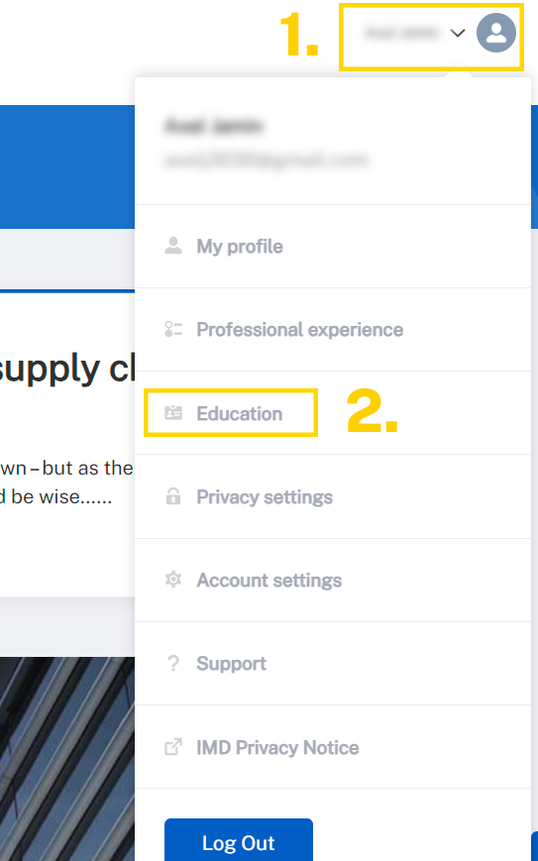
Click on your profile icon, then click on​

Education to edit/add education.​

520a4b52-1abb-4cac-9724-a1ae8374c053 - IMD Business School

7.

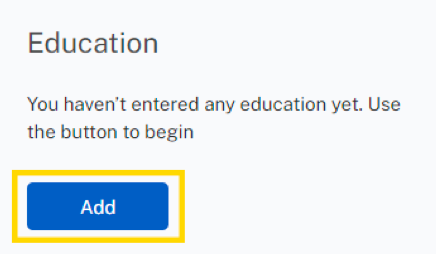
To add a new education, click Add.

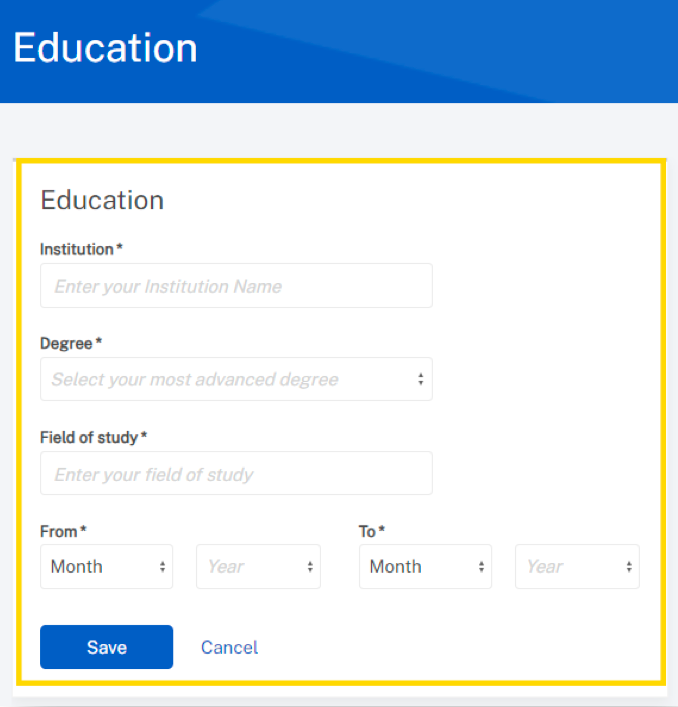
Then enter the related information and click Save.
fc0bc3df-ae53-4838-b6dd-307294ed8828 - IMD Business School
1c68a022-fb47-4b87-b9d8-e95e95b32700 - IMD Business School
20230630-HelpPages-SimpleCard-740×374-a - IMD Business School
Need help?

Opening hours (CET): Mon-Fri: 08:00 – 17:00

Support portalservice.imd.org

Emergencies+41 (0) 21 618 0789

Email[email protected]