Walkthrough
Access the learning portal from your email invitation
Walkthrough
When you don’t have a MyIMD account yet
When your learning portal is ready, you receive an email invitation. If you have never used IMD online services, you first need to activate your MyIMD account. IMD has already created it with your name and email address: you only need to choose your password.
Already have a MyIMD account? Follow the walkthrough When you already have a MyIMD account.
1.
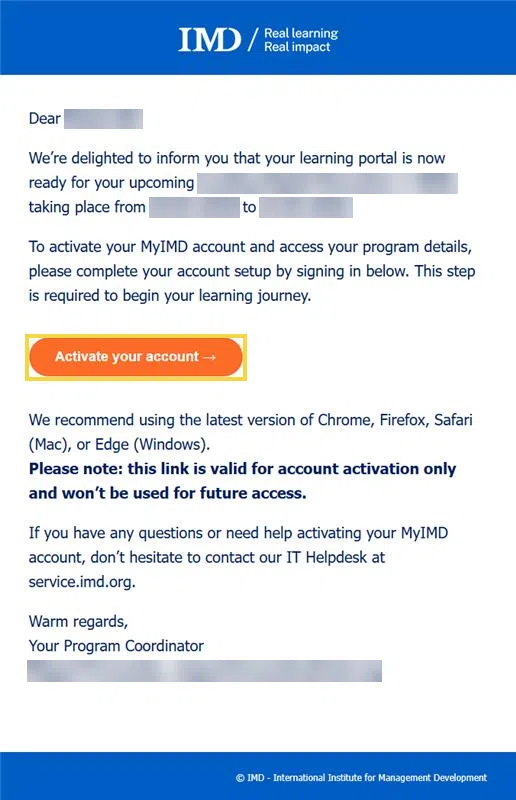
In the invitation email you received, click Activate your account.
This link is only valid to activate your account. Next time, sign in from myimd.imd.org.
2.
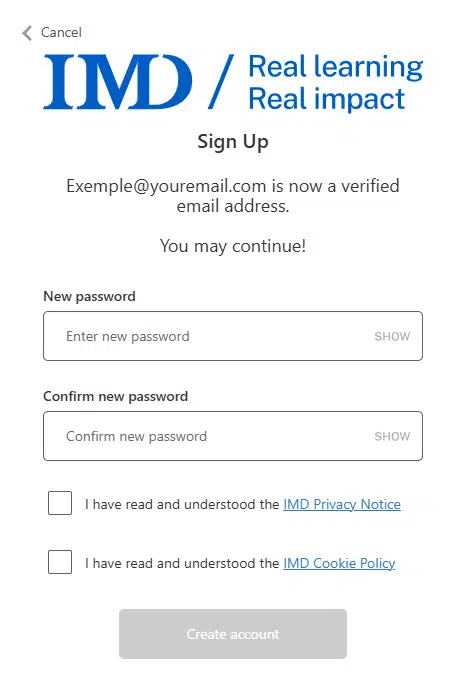
Your email address is now verified. Enter your new password, then enter it again to confirm it.
Your password must contain all of the following:
- at least 8 characters
- a lowercase letter
- an uppercase letter
and at least one of the following:
- a digit
- a special character
Tick the two boxes to confirm that you have read the IMD Privacy Notice and the IMD Cookie Policy, then click Create account.
3.
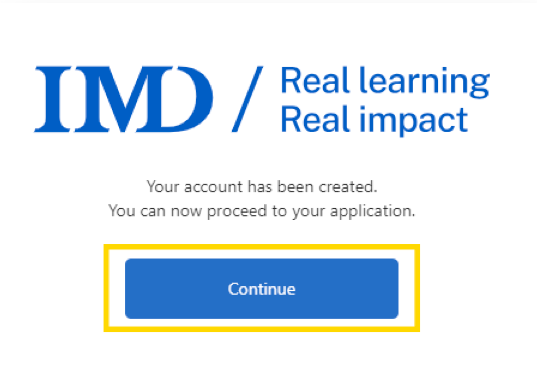
Your account has been created!
The process can take between 10 seconds and one minute.
Click Continue.
4.
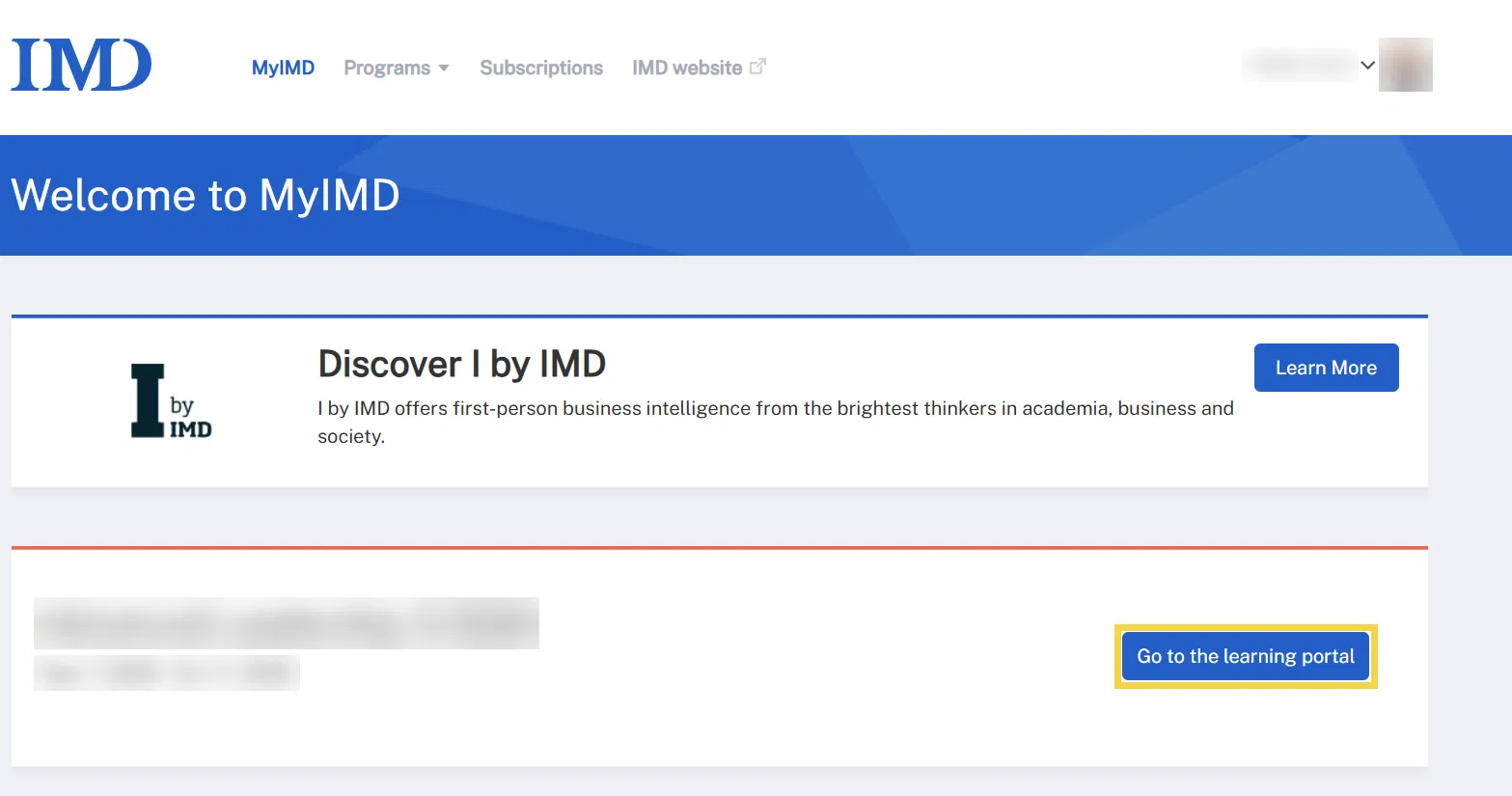
On your MyIMD page (myimd.imd.org), click Go to the learning portal next to your current program or module.
Your access to the learning portal can take a few minutes to appear after you have activated your account.
5.
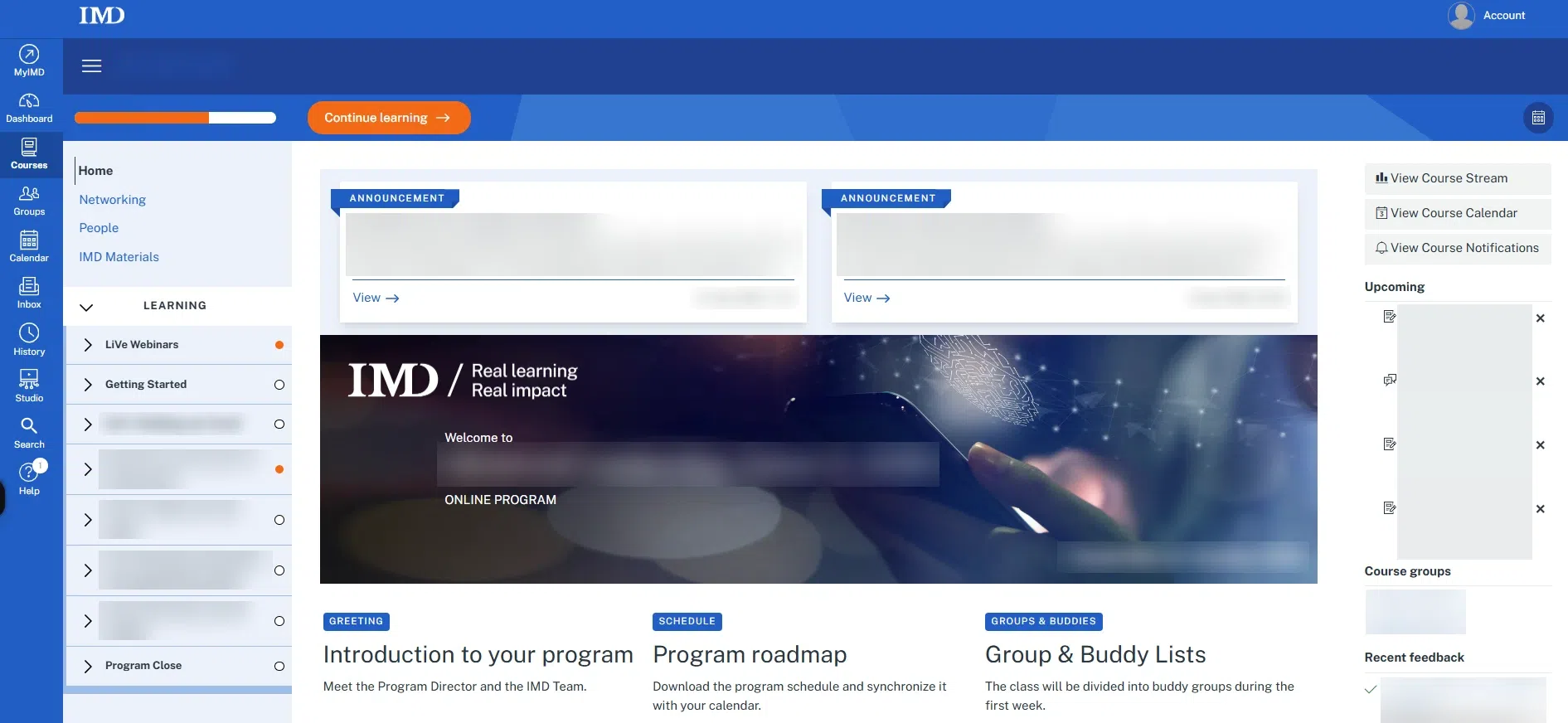
You can now access your learning portal.